Ethan SK · Great for Agentic Engineers

The setup for the
agentic future.

Speech to text with VoiceInk++ and 12 thumb controls for custom superpowers.

Drag to rotateSwipe sideways to rotate

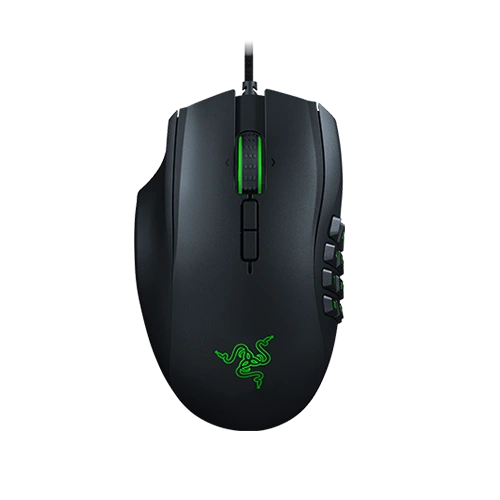
Razer Naga Left-Handed Edition with its twelve-button thumb grid
Left handRazer Naga
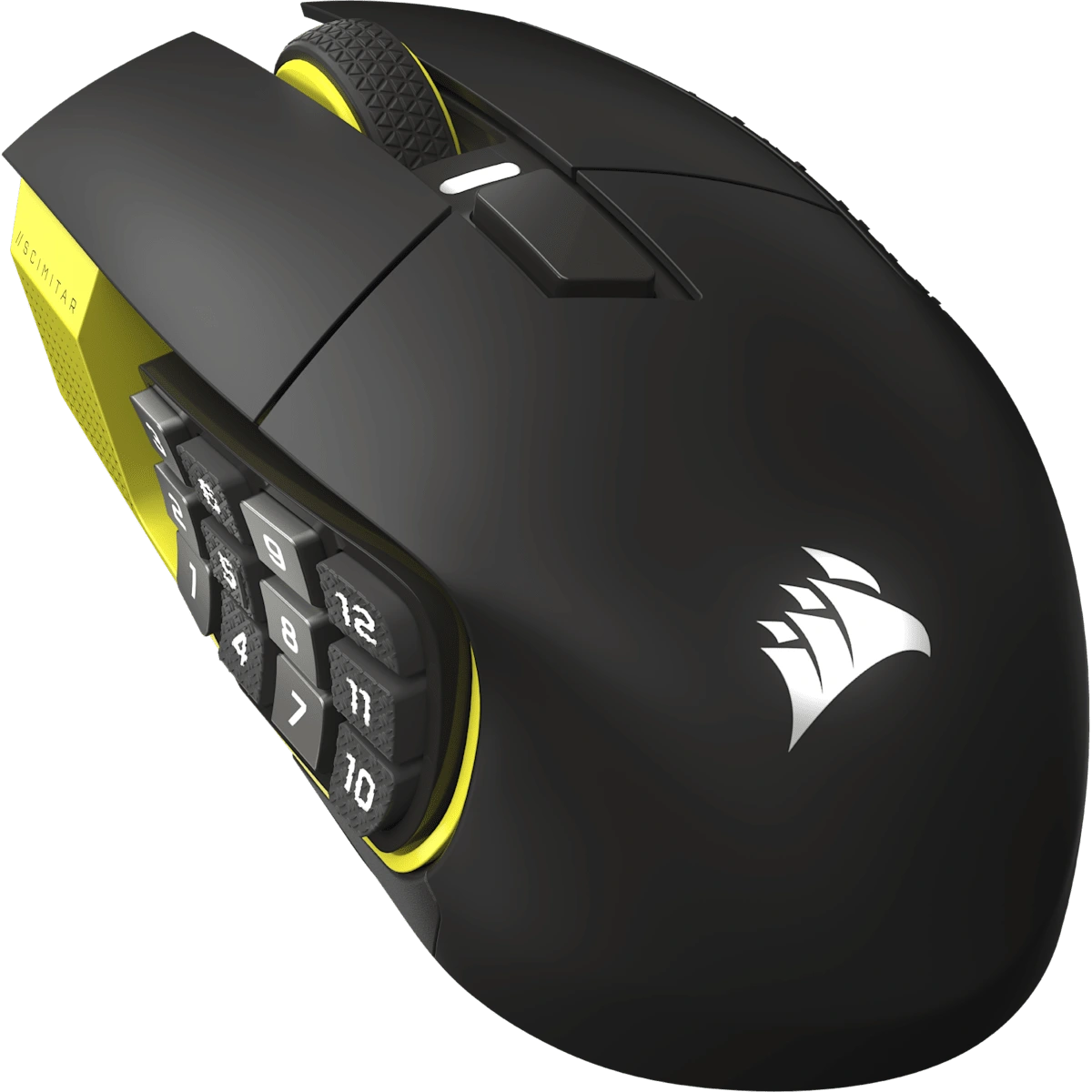
Corsair Scimitar Elite Wireless SE with its twelve-button thumb grid
Right handCorsair Scimitar

Great for Agentic Engineers

Review code without
moving your hand

I use Better Git VS Code with my thumb buttons to skim through code and stage files, with the full support of the IDE and no need to move my hand.

Agent Bridge connects my agents across machines.

5Previous

8Next

Hold Stage

Quick press
Jump to the change.
Hold, then release
Stage the current file and jump in that direction.

Hold button 5 or 8 for at least 300 ms.

This is my current setup; the demo below follows the published mouse mapping.

Twelve controls mirrored for either hand

A whole Mac and
AGI under my thumb

Drag to rotate. Click a button to run its action.Swipe sideways to rotate. Tap a button to run its action. Switch hands to see the numbers on the other mouse.

HUD on my Mac

Default mode
Side buttons,
under your thumb.

Corsair 4 · Razer 6

Copy / Paste + Wheel

Hold the button and turn the wheel to copy or paste.

Browser demo only. Nothing is sent to your Mac.

12 thumb buttonsCorsair Scimitar

The heads-up display

See what every
button does

The HUD I use on my Mac. Click a button to open its mode. The mouse lights up to match.

Open the full map

Select a control to see what it does.

Generated from the app source. Actions run in this page only. marks a reported physical issue.

YouTube pauses when I start talking

Press a top button to dictate with VoiceInk++. The YouTube video I’m watching pauses automatically, then resumes when I finish — only if my setup paused it. Choose where the transcript goes and keep working while it’s delivered.

The pause comes from the VoiceInk YouTube Bridge Chrome extension and a small macOS helper, which are separate from Agentic Mouse and not publicly downloadable.

Setup guide

Controls for the app I’m using

Open app mode in Codex, Chrome or VS Code. Steer a message, change browser pages, or move through code with the wheel.

Mouse lighting matches the mode

Utility is violet. Keys is orange. Each mouse keeps its own mode, lighting and legend. Exit the mode to return to everyday controls.

My desk setup

What’s on my desk

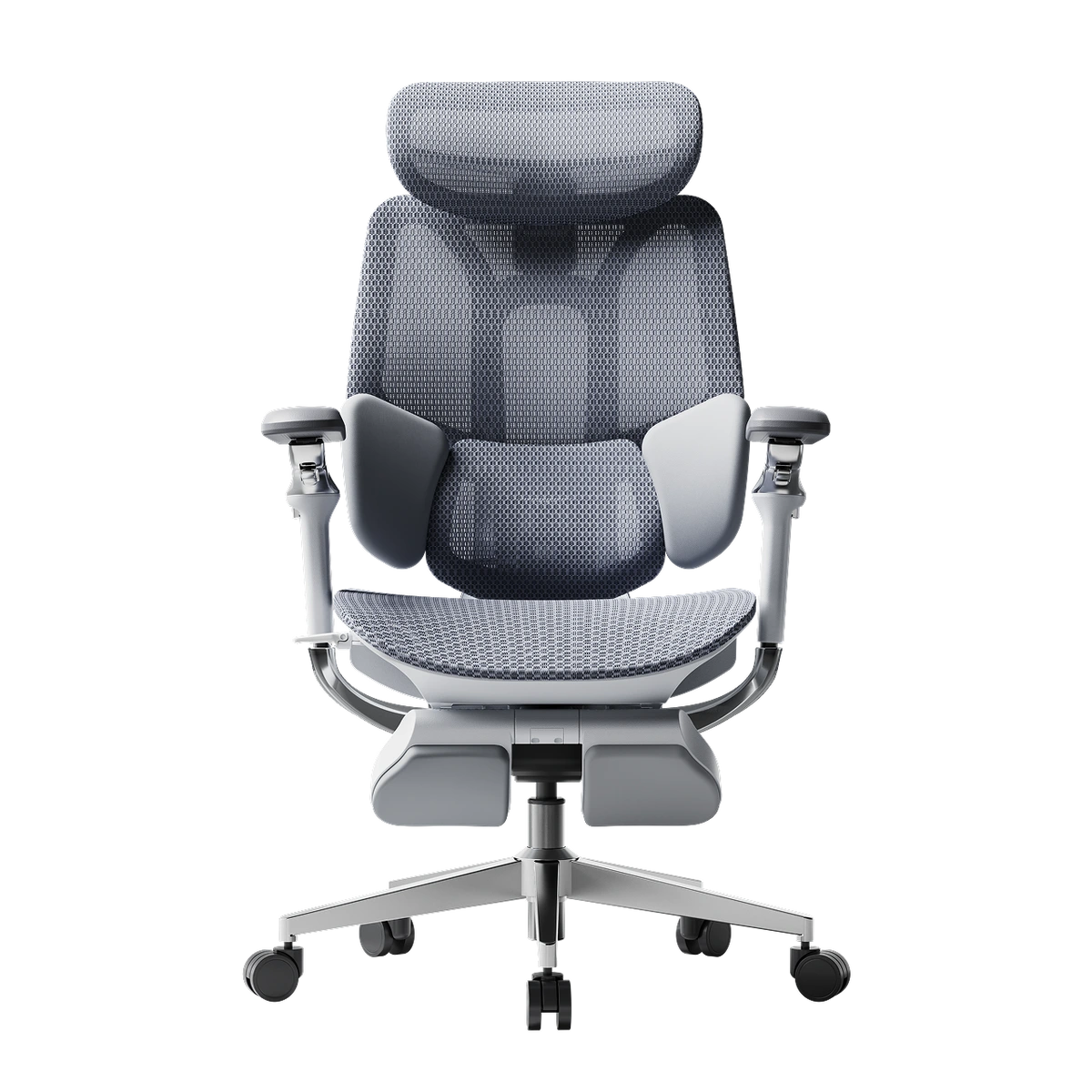
A left-handed mouse, a right-handed mouse, a big bamboo desk, and a chair I can properly lounge back in.

Running on my MacBook Pro, with VoiceInk++, Karabiner-Elements and iCUE.
Product imagery and names belong to Razer, Corsair and Hbada.

Get Agentic Mouse

Try it with your own mouse

The code and setup instructions are public, so you can adapt the controls for your own mouse and the apps you use.

Source is available. A signed app download will appear here once its release checks pass.

A personal build, with a few things to know

Source builds remain available. Set up Karabiner and iCUE for your own mouse. The proprietary iCUE SDK is not bundled. Some controls still need physical acceptance; the previews keep those marked.

Custom commands are designed to stop when the Mac locks or the session becomes uncertain. A website demonstration is not a physical acceptance test. Read the limitations and verification notes before copying the setup.

Not affiliated with Apple, Razer, Corsair, Hbada or OpenAI.

The rest of my setup

Skills I use
with my agents

Reusable instructions and small tools for how I work. Take the public ones you like, or have a look at the private workflows behind the setup.

Published skills

Codex · Claude Code

Outstanding Items

Keep the list out of the chat. Get one useful next step.

A private, editable list keeps track of what you asked for. Adding something records it; it does not tell the agent to start.

Codex

Response Preferences

Consistent replies, useful highlights, and files you can actually read.

Fixed meanings for markers and colours, underlined clues, and your original question above the answer. Includes a local Markdown and code editor.

Codex · macOS verified

Submit ChatGPT Feedback

Report a problem from the conversation where it happened.

Send feedback through the installed Codex client without a dialog taking focus. Submission needs your permission; diagnostic logs stay off by default.

Codex · Claude Code

Local Web Debug Mode

Let the agent read browser logs while you reproduce the bug.

Temporary local logging connects the browser to the agent. Reproduce, inspect, fix, retry, then remove the temporary code.

More published skills
Claude Code

Deepgram transcription

Turn voice notes and audio files into text.

Uses your Deepgram API key and sends the selected audio to Deepgram. Supports Telegram voice notes and standalone audio files.

Claude Code

Emoji Consistency

Keep the same emoji for the same project or task.

Looks up a saved assignment and reuses it across sessions. This tracks named things; Response Preferences gives reply markers their fixed meanings.

Claude Code · macOS / Windows

Reload Claude plugins

Reconnect missing plugin tools from the running terminal session.

Sends /reload-plugins into the Claude Code terminal. Choose the version for your operating system.

Development reference

AIMVS Dev Skill

Separate worktrees, isolated dev stacks, browser testing and recorded test results. This is how I work on AI Music Video Studio; adapt its project-specific commands for your own repo.

Other skills in my setup

These are private skills I use. The descriptions are here as ideas; their source and personal configuration are not published.

Private skill

Conversation handoffs

Continue a long conversation without losing what is left to do.

Checks what already happened, carries over the unfinished work, and avoids repeating completed actions.

Private skills

Browser and display control

Keep agent-controlled windows on the right screen.

Checks the target window before acting and leaves my other browser pages, displays and active media alone.

Private integration

Completion notifications

Tell me what finished without pulling me out of what I am doing.

Short native Mac notifications name the request and its result. The local notification sender is separate from the public Response Preferences skill.

Private skill

Skill Factory

Turn a useful repeated workflow into a maintained skill.

Keeps the main instructions short, moves detailed procedures into references, and checks the scripts before calling the skill ready.

Private skill

Refactor diff splitter

Review the new logic without rereading code that only moved.

Stages unchanged relocated code and leaves new logic in the unstaged diff. Preserves the working files and takes an index snapshot first.

Private skill

Product wording

Write labels and explanations from what the product actually does.

Uses my wording corrections and past examples to keep messages plain, short and accurate.

Earlier experiments

Public source, with a couple of important limits.

Codex file-link experiment

A documented failed attempt to change where Codex opens file links. Reference only; I do not recommend installing the patch.

Related tools I have published
Delivery Rankings

A forkable dinner board with a skill for recording order history and your own ratings. Private receipt details stay out; it does not place orders.

Ethan SK · LinkedIn

More tips on the
agentic future.

Follow me for more tips on the agentic future — the tools, skills and setup I use.

Top button

Activate speech mode

The top button starts dictation with VoiceInk++. In my setup, YouTube pauses while I talk, then resumes the video it paused when I finish. This is an example only; no microphone or video player is controlled here. DPI stays at 2,750.