 Magic Wand
How do I…?
Pick an action. See the buttons, the wand movement and what happens on screen.
Illustrated guides for Control V2. They call the mouse button Bottom, the HUD button Middle and the speech button Top. The current V3 uses straight drags and keeps scrolling while the mouse button is held; the circle-scroll clips show the older selectable V2. Each clip has narration, captions and a transcript.
-
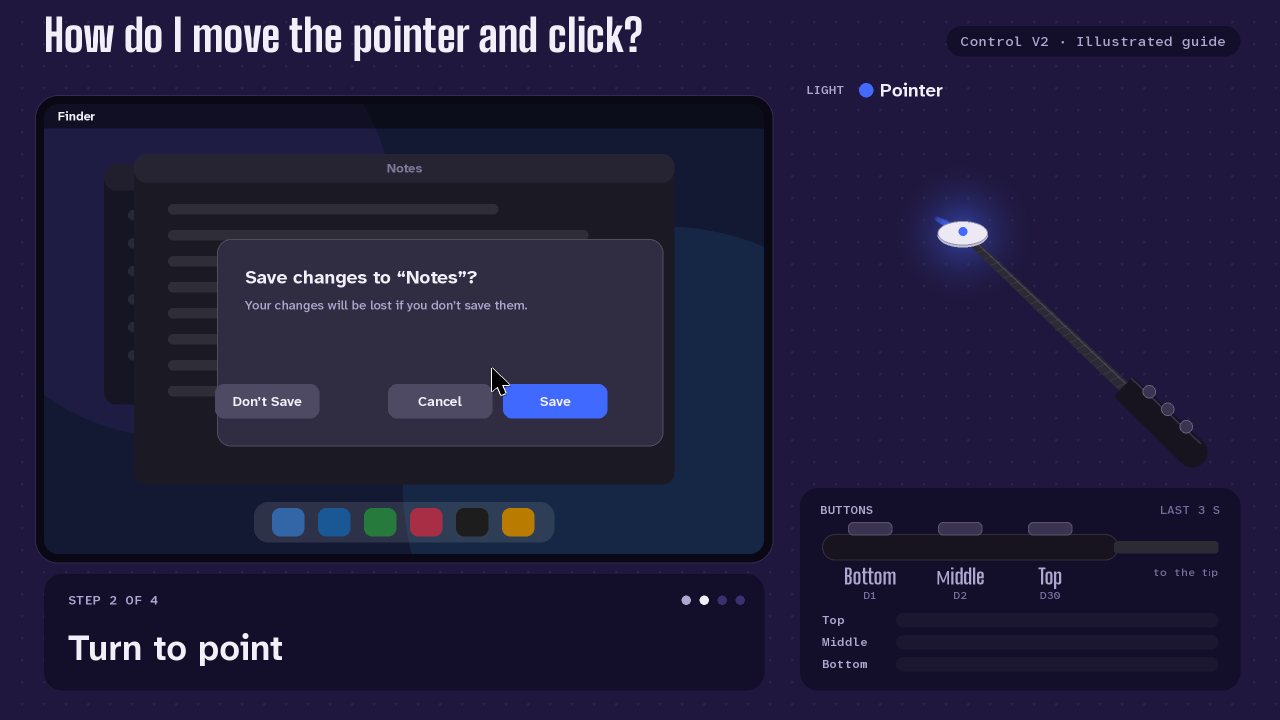
How do I move the pointer and click?
Tap the mouse button to point and settle to click, without pressing at the exact moment. Need time to decide? Tap it again to pause without a click, then resume when ready. Keep moving naturally between actions: aim, settle, click, move again.
-
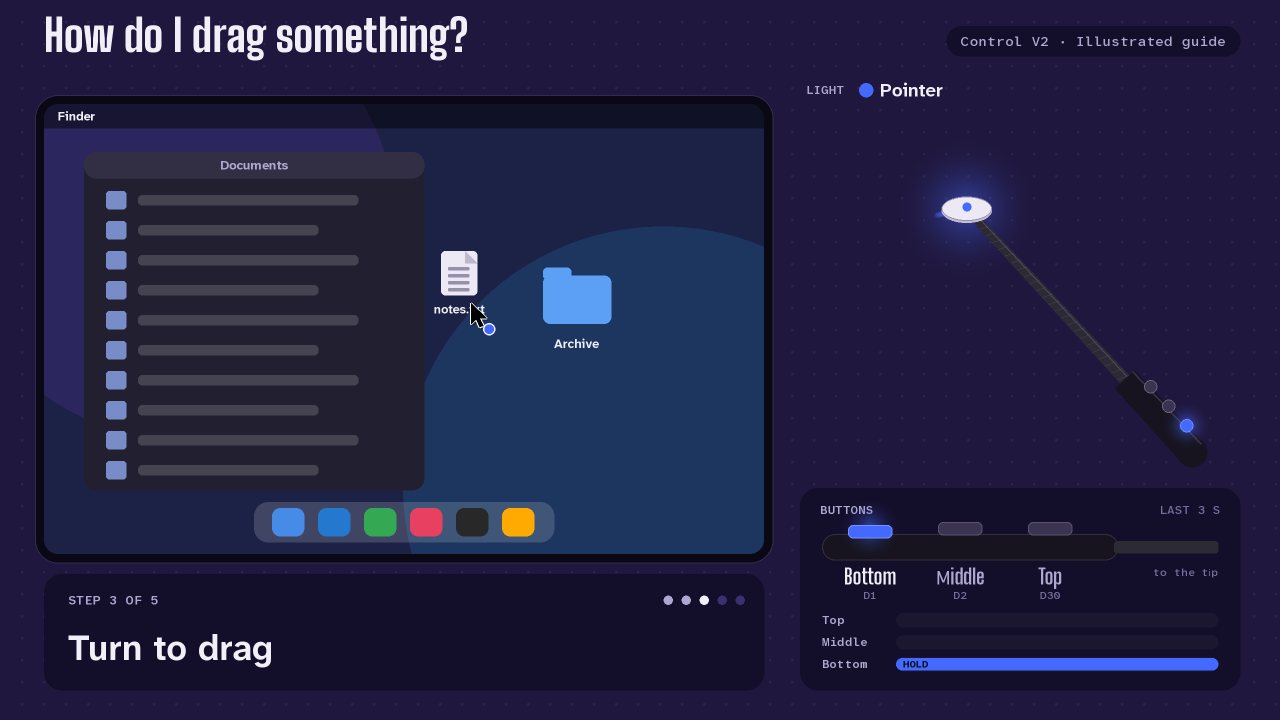
How do I drag something?
Tap the mouse button, then hold the second press to drag; release to drop.
-
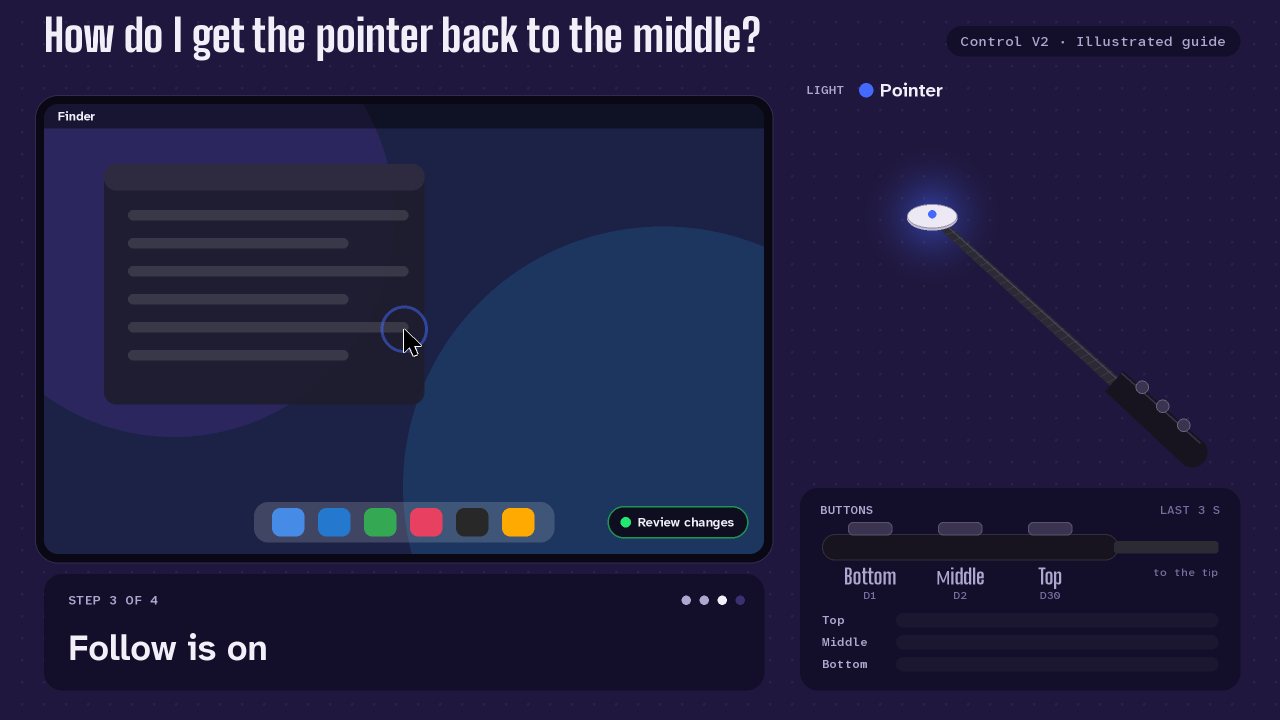
How do I get the pointer back to the middle?
Double tap the mouse button to centre the pointer with mouse follow on.
-
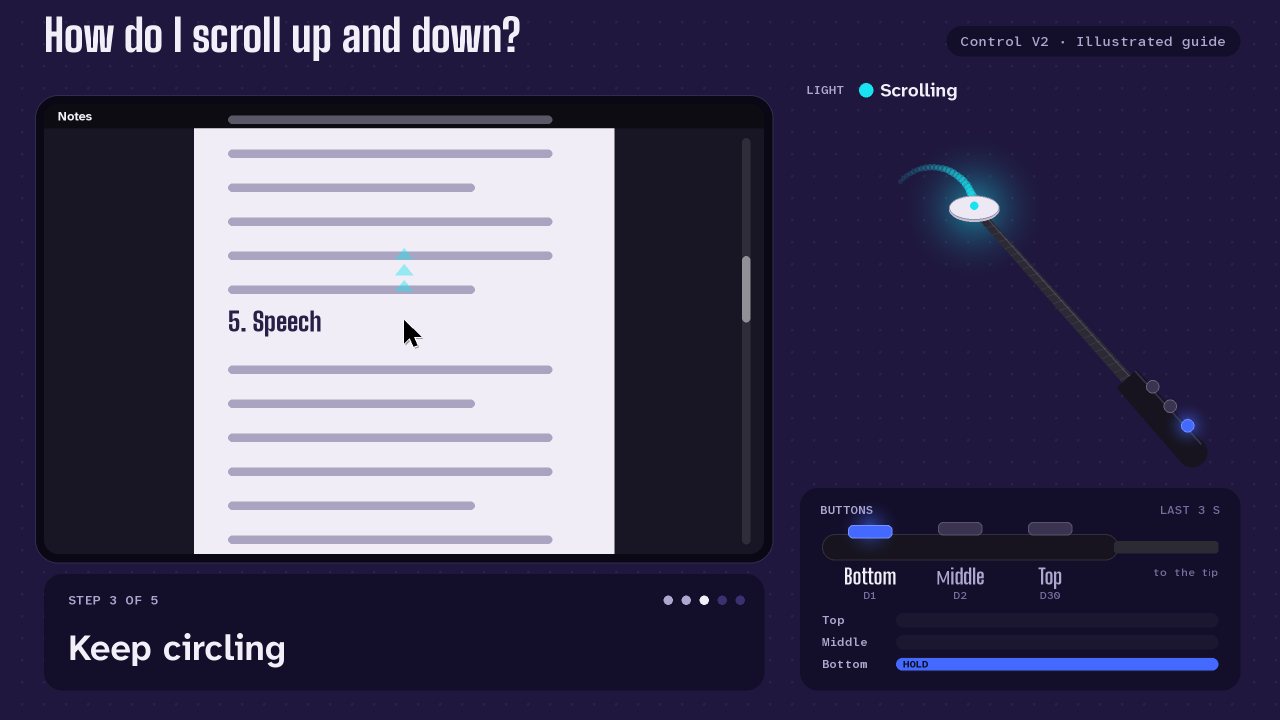
How do I scroll up and down?
Hold the mouse button, move up or down, then keep circling; release to stop.
-
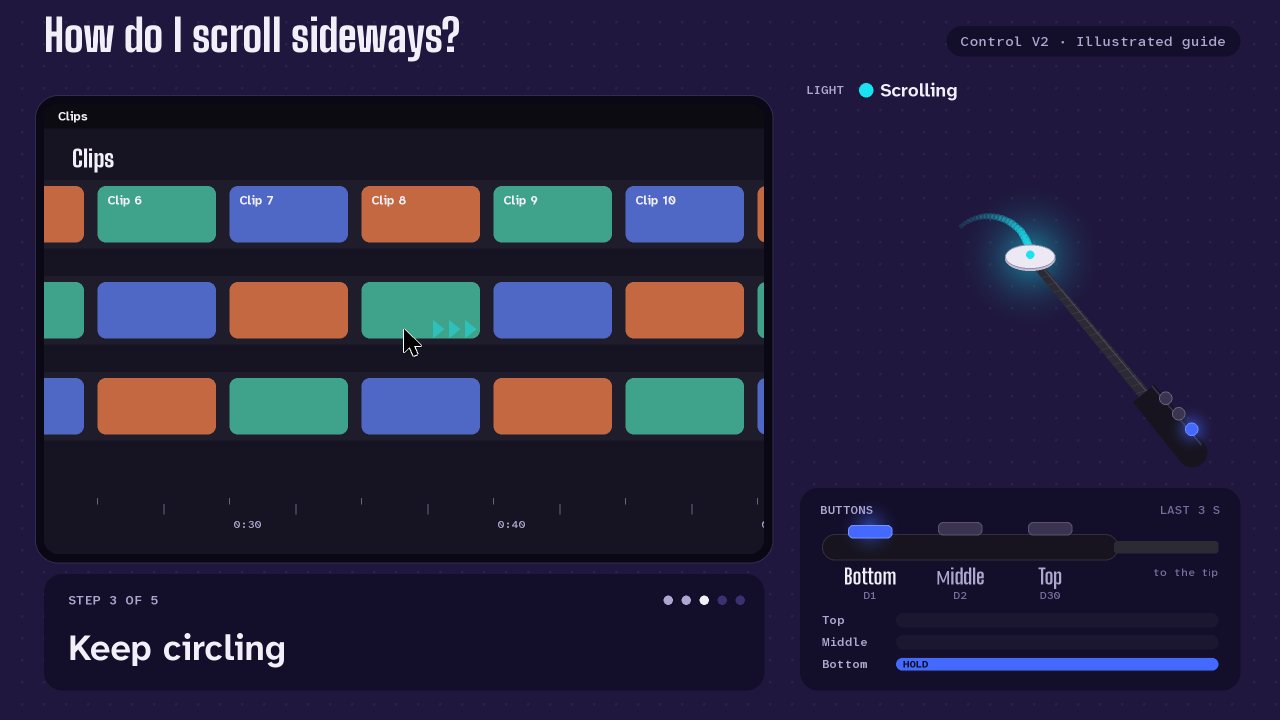
How do I scroll sideways?
Hold the mouse button, start left or right, then keep circling; release to stop.
-
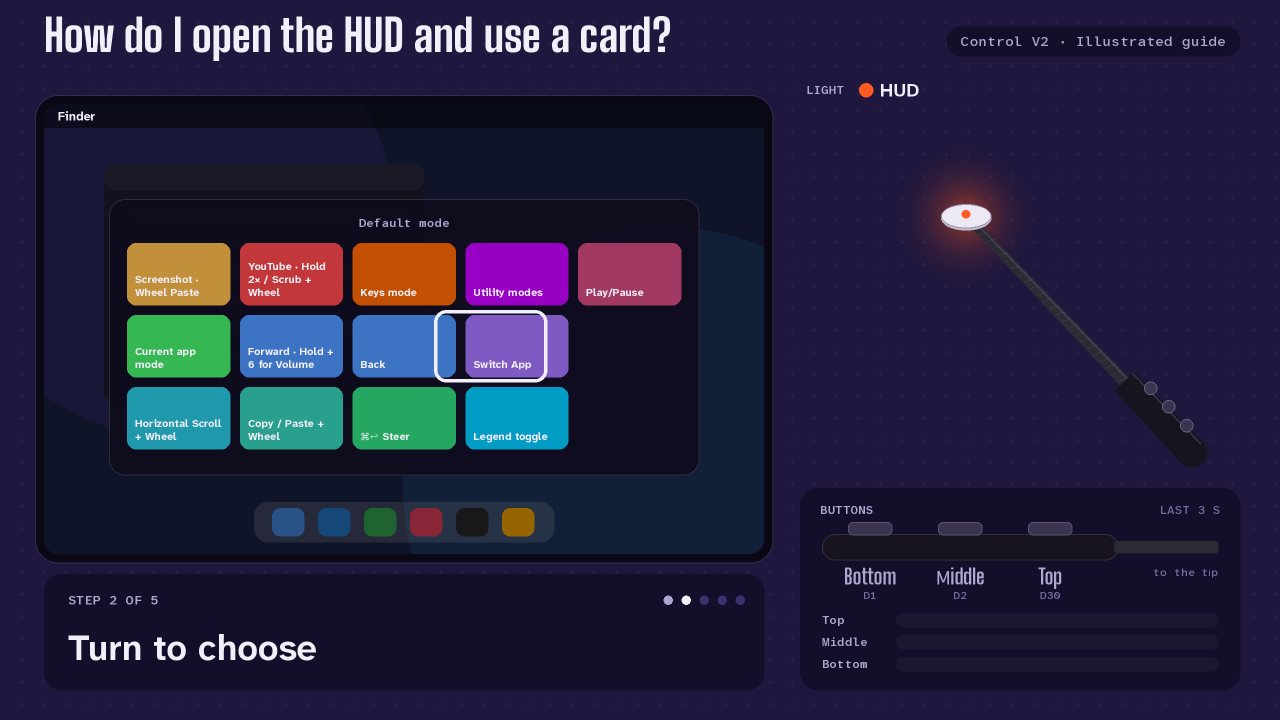
How do I open the HUD and use a card?
Tap the HUD button, turn to a card, tap to use it; double tap to close.
-
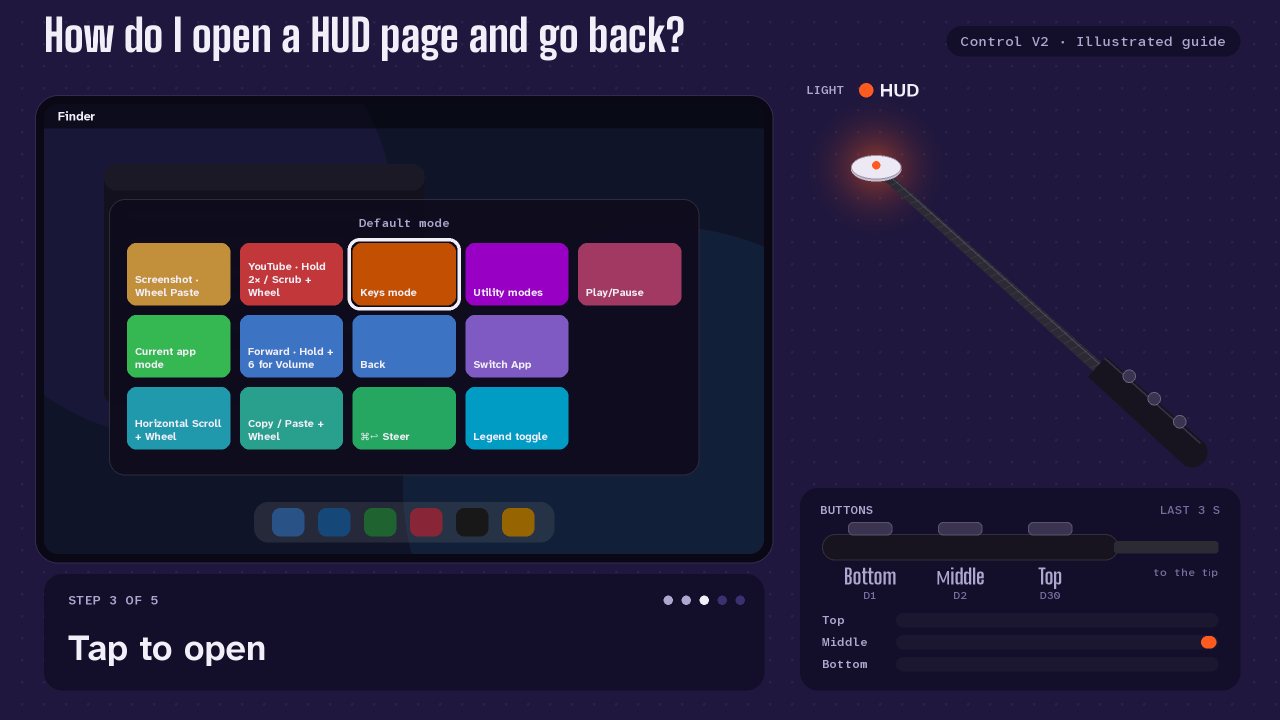
How do I open a HUD page and go back?
Tap the HUD button on a page card; its exit card goes back one page.
-
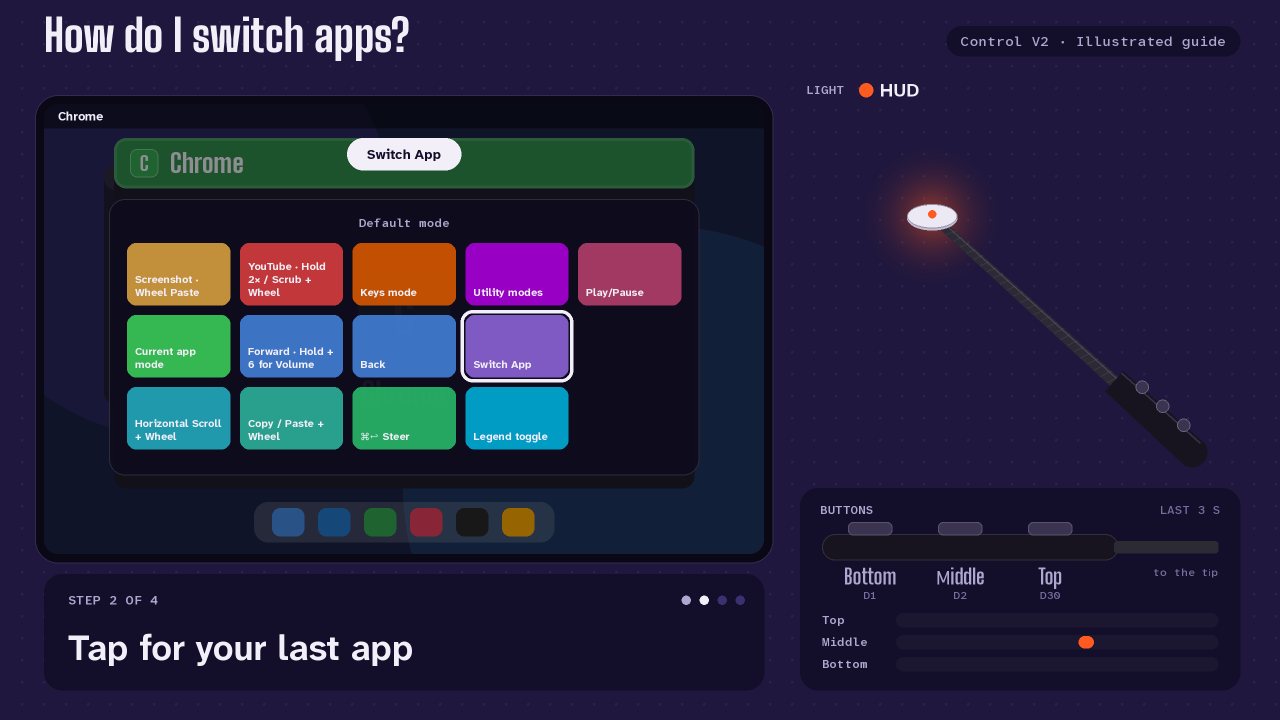
How do I switch apps?
Tap Switch App for your last app, or hold and turn to pick one.
-
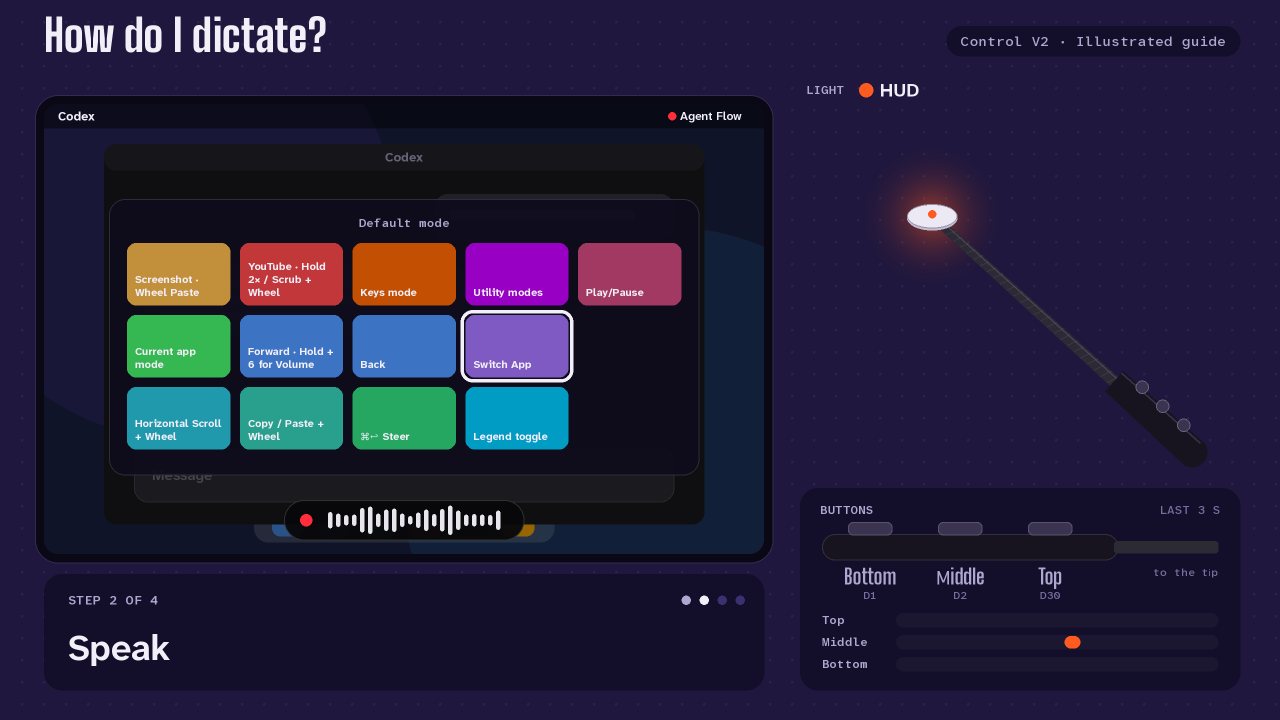
How do I dictate?
Tap the speech button to start Agent Flow and tap again to stop and paste.
-
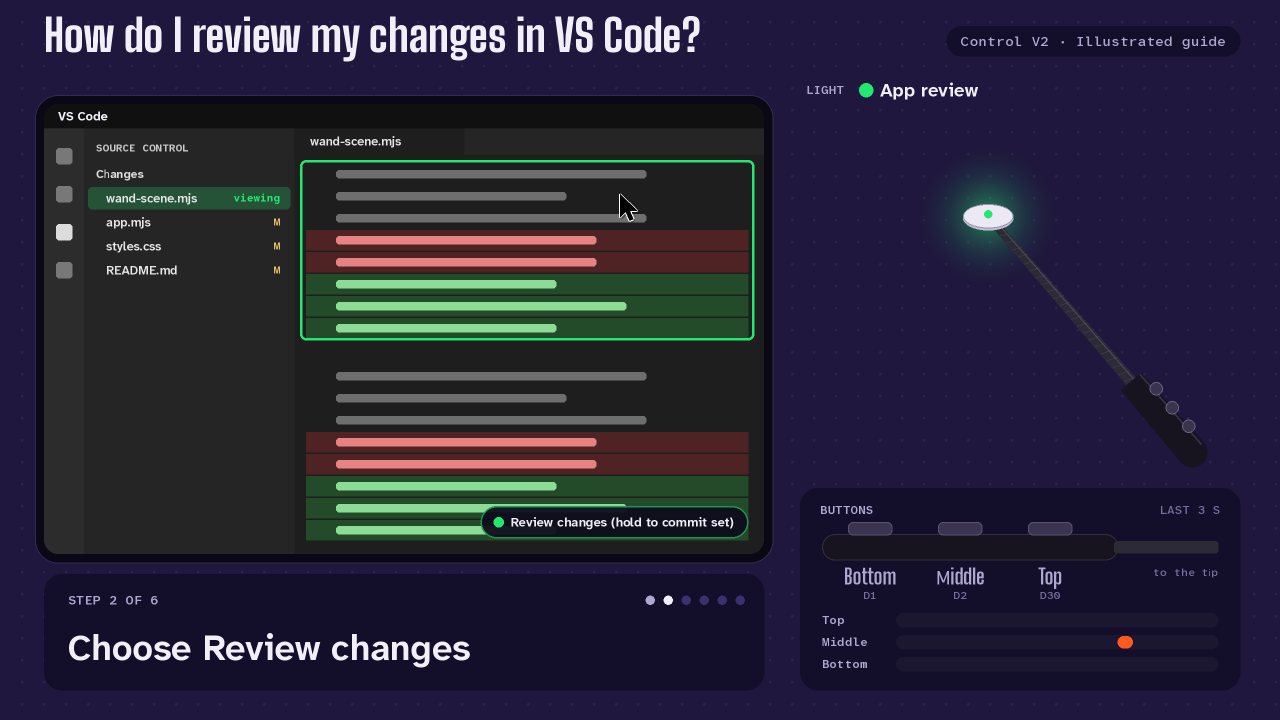
How do I review my changes in VS Code?
Choose Review changes, quarter-turn through changes, hold the HUD button to stage the set.
-
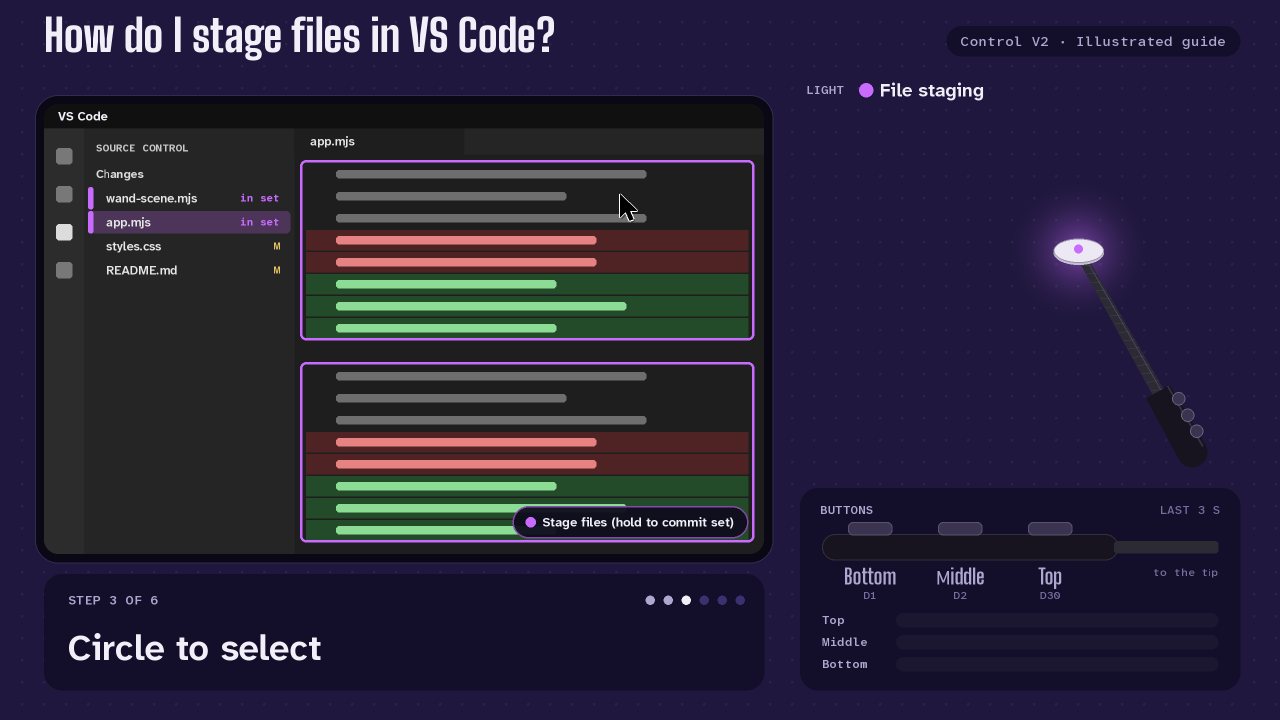
How do I stage files in VS Code?
Choose Stage files, circle to build a set, hold the HUD button to stage it.
-
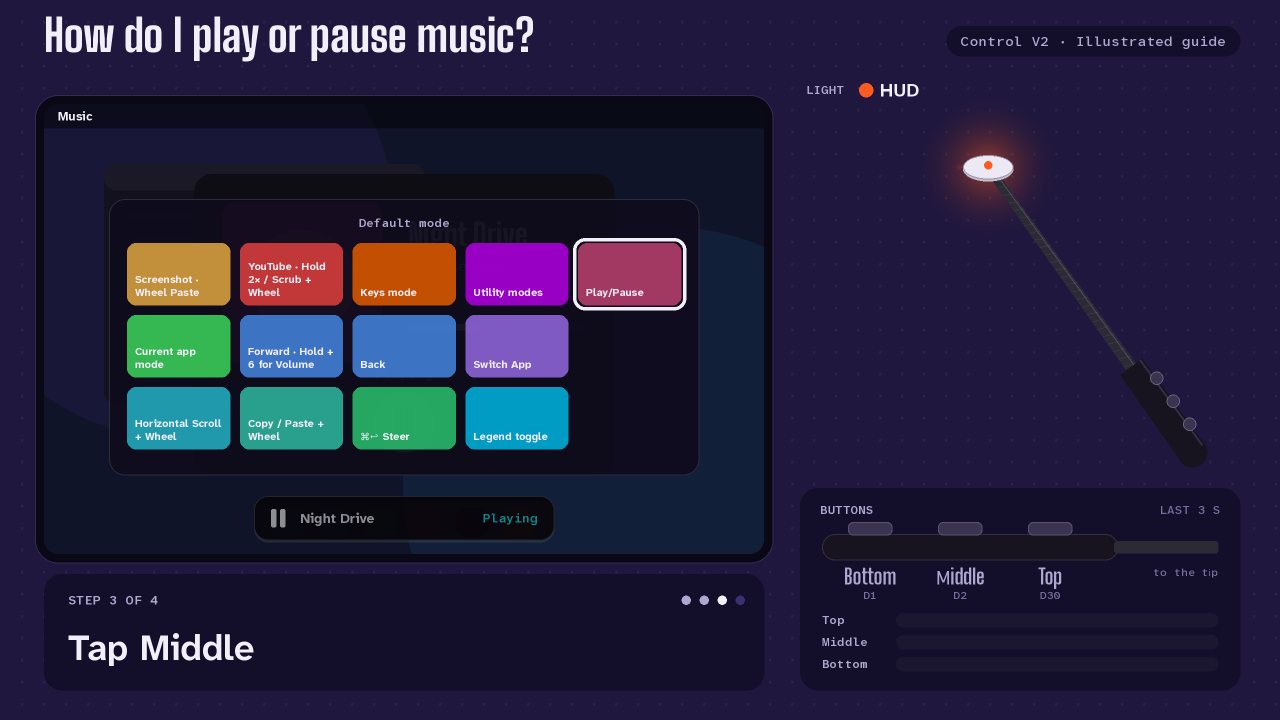
How do I play or pause music?
Open the HUD and use Play/Pause, right of Utility on the top row.
No videos found. Try a button name or a shorter action.